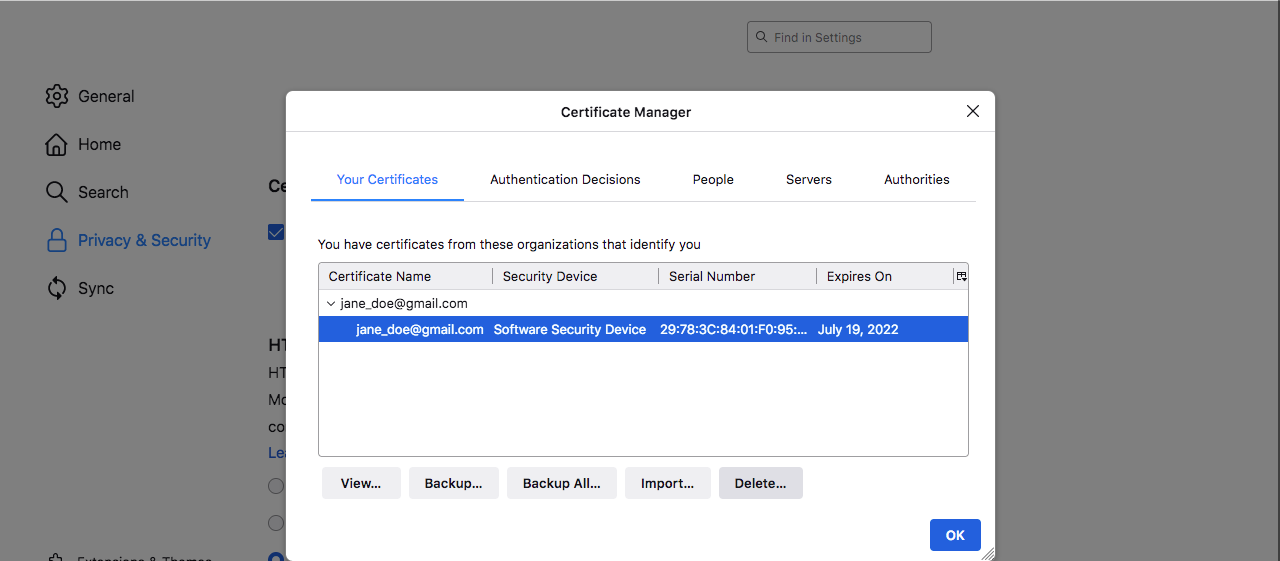
Import Personal Certificate - Firefox
Step 1: Open
Firefox browser and open Application menu at the top right of the page, then
click on Settings.
Step 2: Go to the Privacy & Security and scroll down to Certificates section
then click on the View Certificates… button.
Step 3: Your
certificates will be shown up then you should click on Import button.
Step 4: Go to the
place where your file was saved then Open
it.
Step 5: Enter the
password required then click on OK button.
Now, your
certificate imported successfully.